GA Analytics Assistant
One Click Setup, Just Ask
No more staring at complex dashboards wondering what to look at.
Let AI Agent provide key insights and analysis for you.
Analyze your website even on mobile!
GA Analytics Assistant
AI Agent · Always Ready
1. Traffic up 15% vs last week
2. Bounce rate dropped from 65% to 58%
3. Suggestion: Improve homepage CTA design
What is this application?
GA Analytics Assistant is a service that connects your Google Analytics data to AI assistants like Claude and ChatGPT. Through Google OAuth authorization, we obtain read-only access to your GA4 account, allowing you to analyze website data by simply asking AI in natural language.
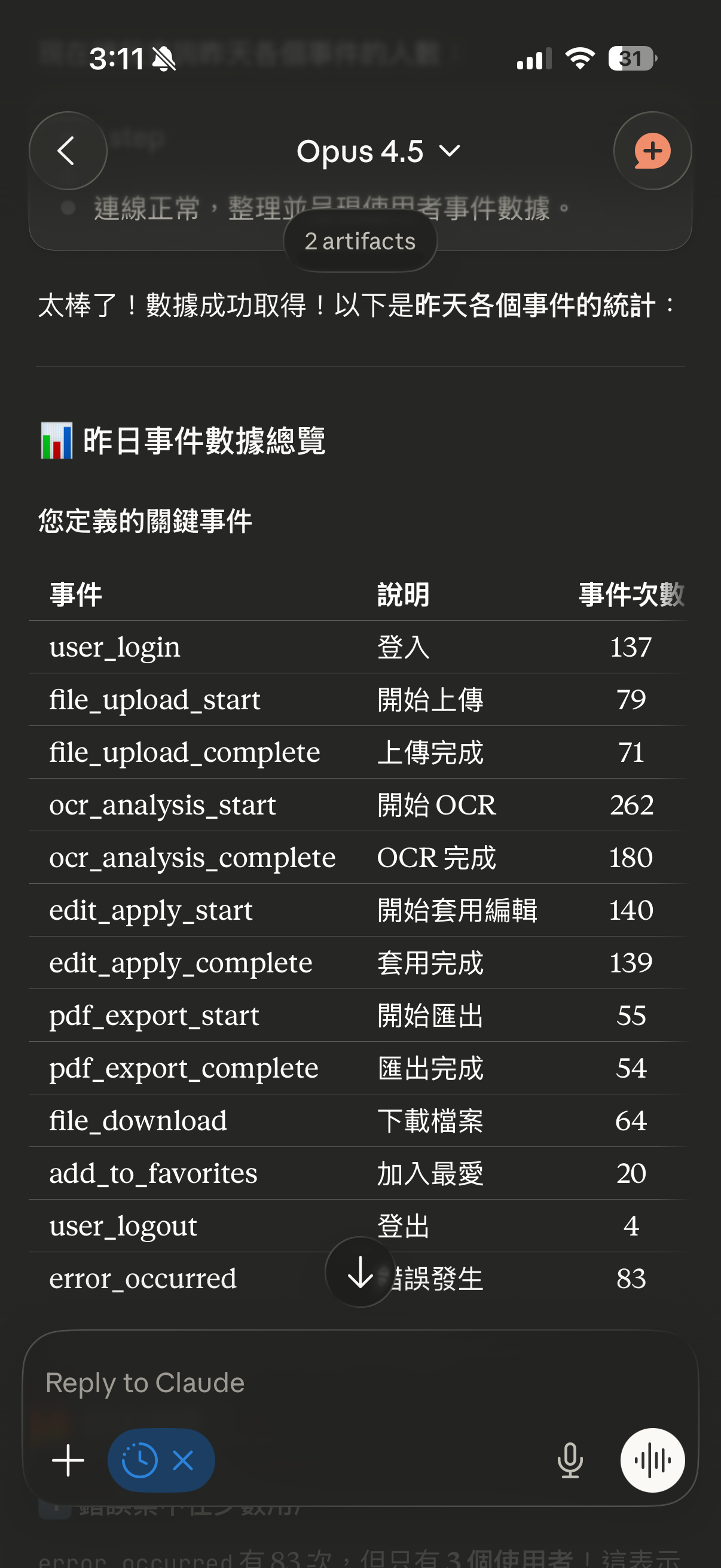
You don't need to manually navigate complex reports. Just say to AI: "Analyze yesterday's traffic performance" and get a complete analysis report with suggestions. All data queries are real-time, and we do not store your GA data.
Why Choose GA Analytics Assistant?
Let AI handle tedious data analysis, focus on what really matters
Smart Analysis
AI automatically interprets data and provides meaningful insights
Expert Advice
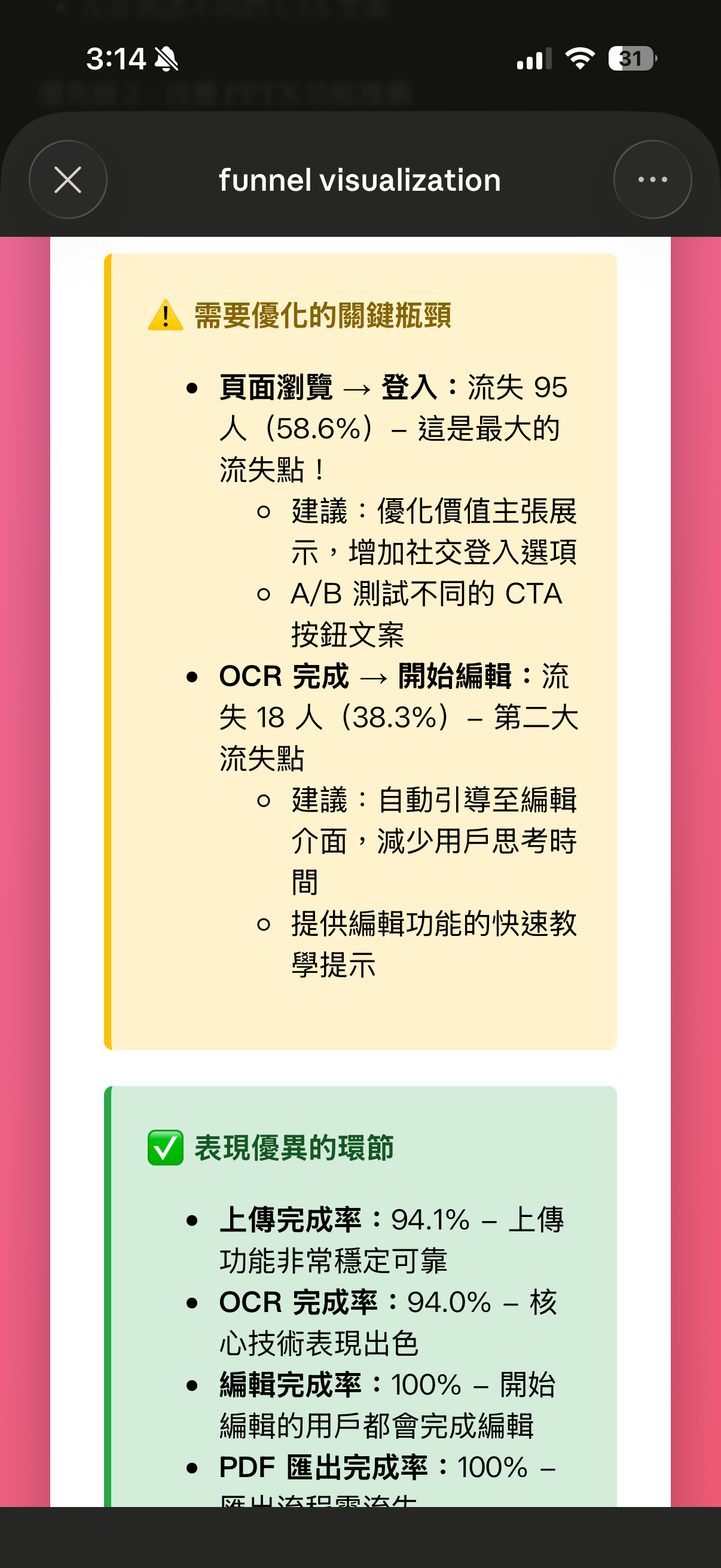
Get actionable optimization suggestions based on your data
Visual Charts
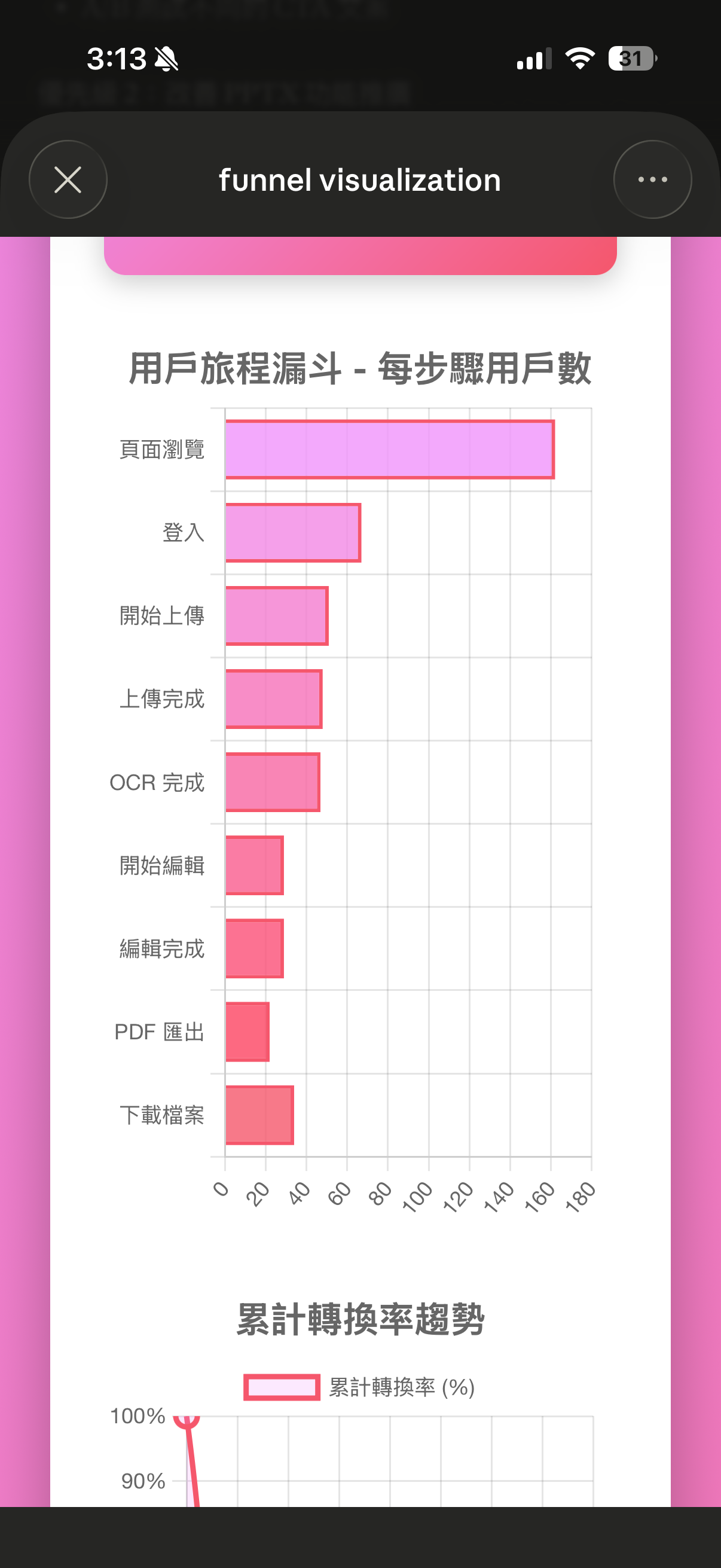
Auto-generate clear visualizations to understand trends at a glance
Action-Oriented
Every analysis comes with clear next steps to take
See It In Action
See what GA Analytics Assistant can do — Click to enlarge
Do You Have These Problems?
User behavior on your website is extremely important, but every time you want to analyze it, you have to filter data, export reports, and present findings yourself.
When you want to think about your next task, you have to do it all over again. With this workflow, you can't possibly use GA daily.
Such critical work requires so many steps, constantly breaking your flow.
With GA Analytics Assistant, you really just need to ask, and it will analyze everything for you.
3 Simple Steps
From authorization to usage in under 2 minutes
Google Auth
Click the button below to sign in and authorize GA read access
Copy MCP Link
After authorization, copy your personal MCP link
Setup AI Assistant
Claude: Settings → Connectors
ChatGPT: Developer Mode → Create App
Ready to Be the Boss?
Just speak your mind, ask for detailed specifics,
and it won't give you attitude.